Skinful: Skincare Routine Builder
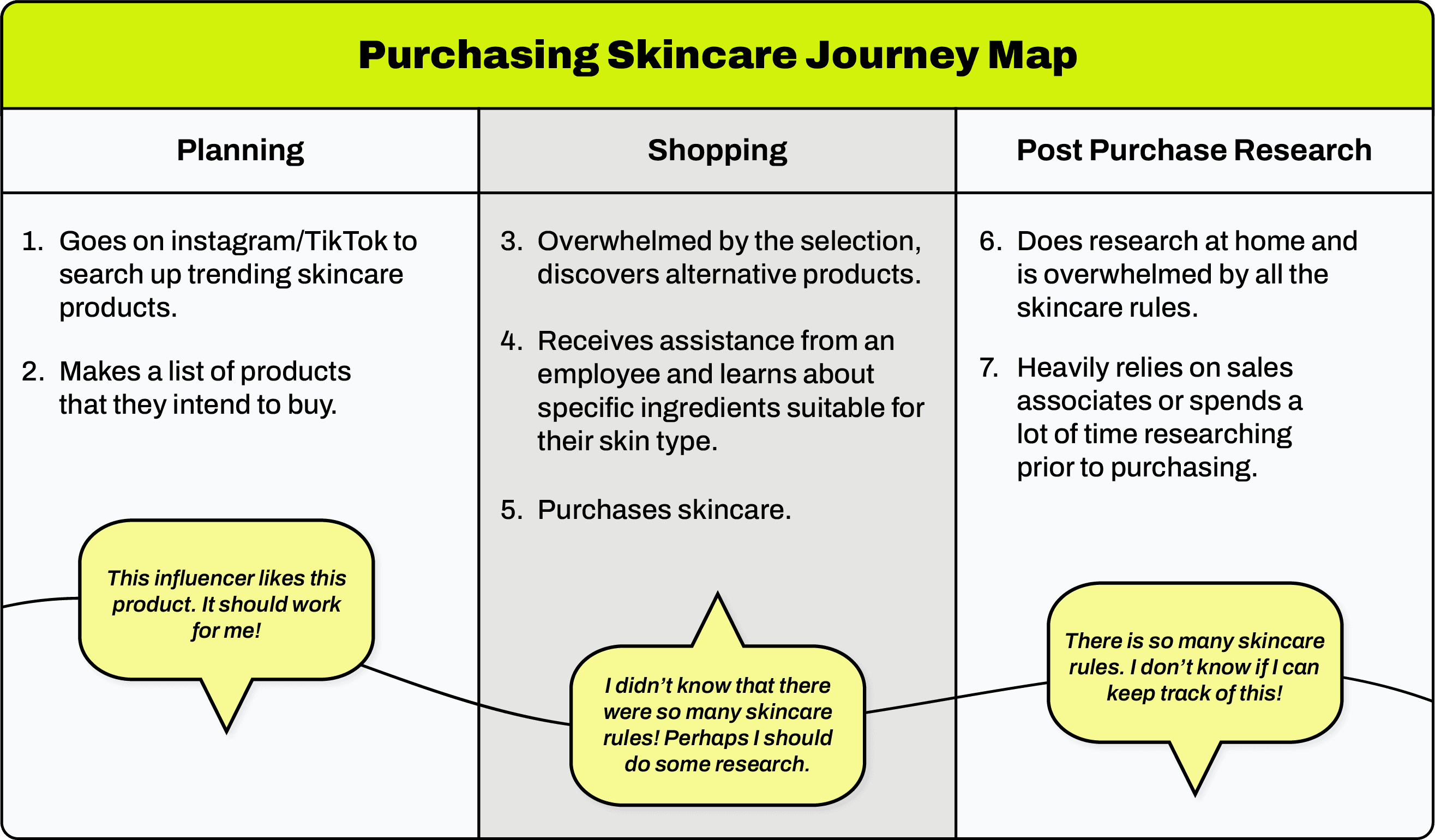
Skinful aims to simplify and improve accessibility in the skincare purchasing process by informing consumers of the best ingredients for their skin and teaching them how to use and incorporate new products.
Role:
UX / UI Design
Type:
Product Concept
Tools
Figma, Illustrator
Problem Statment
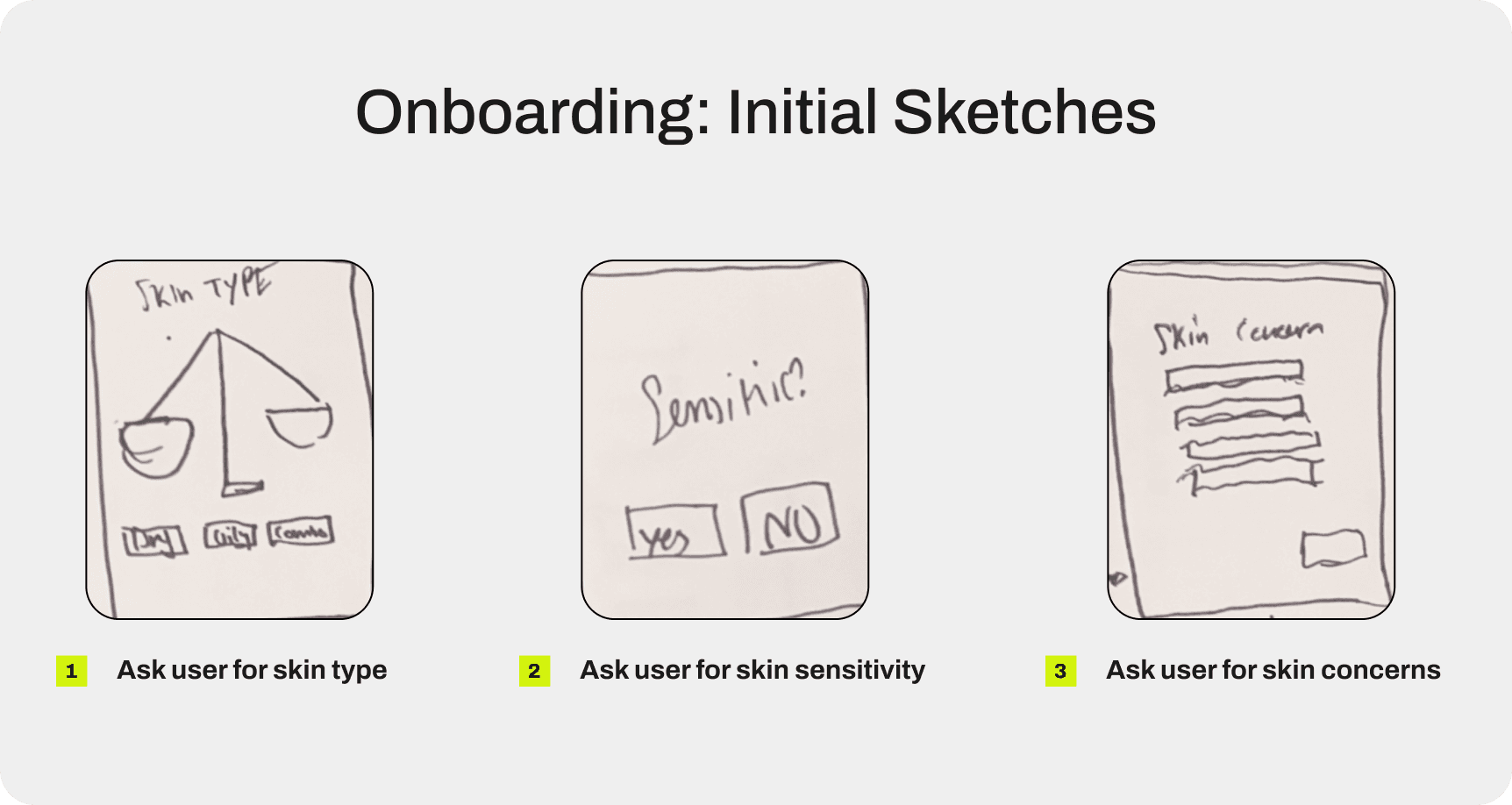
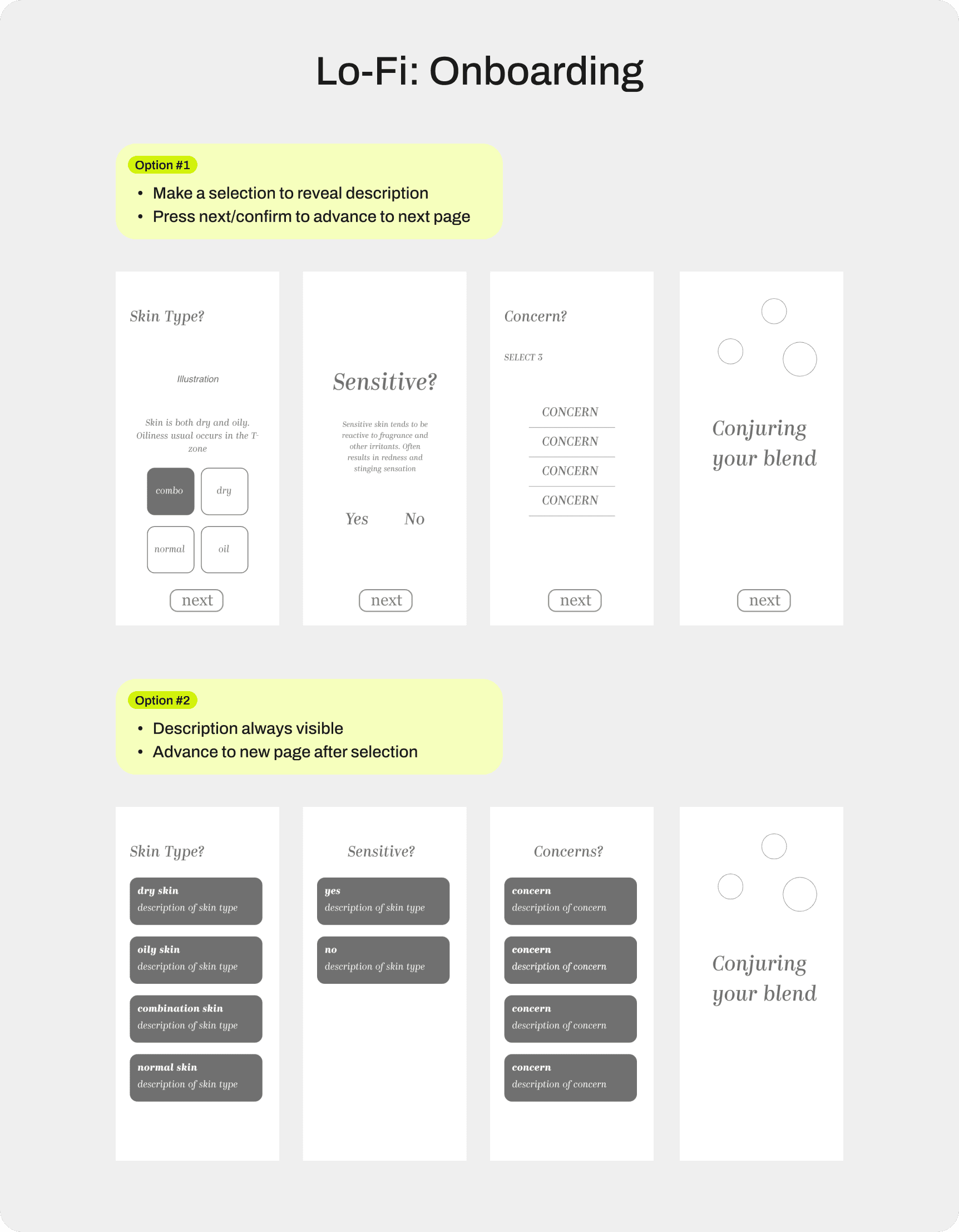
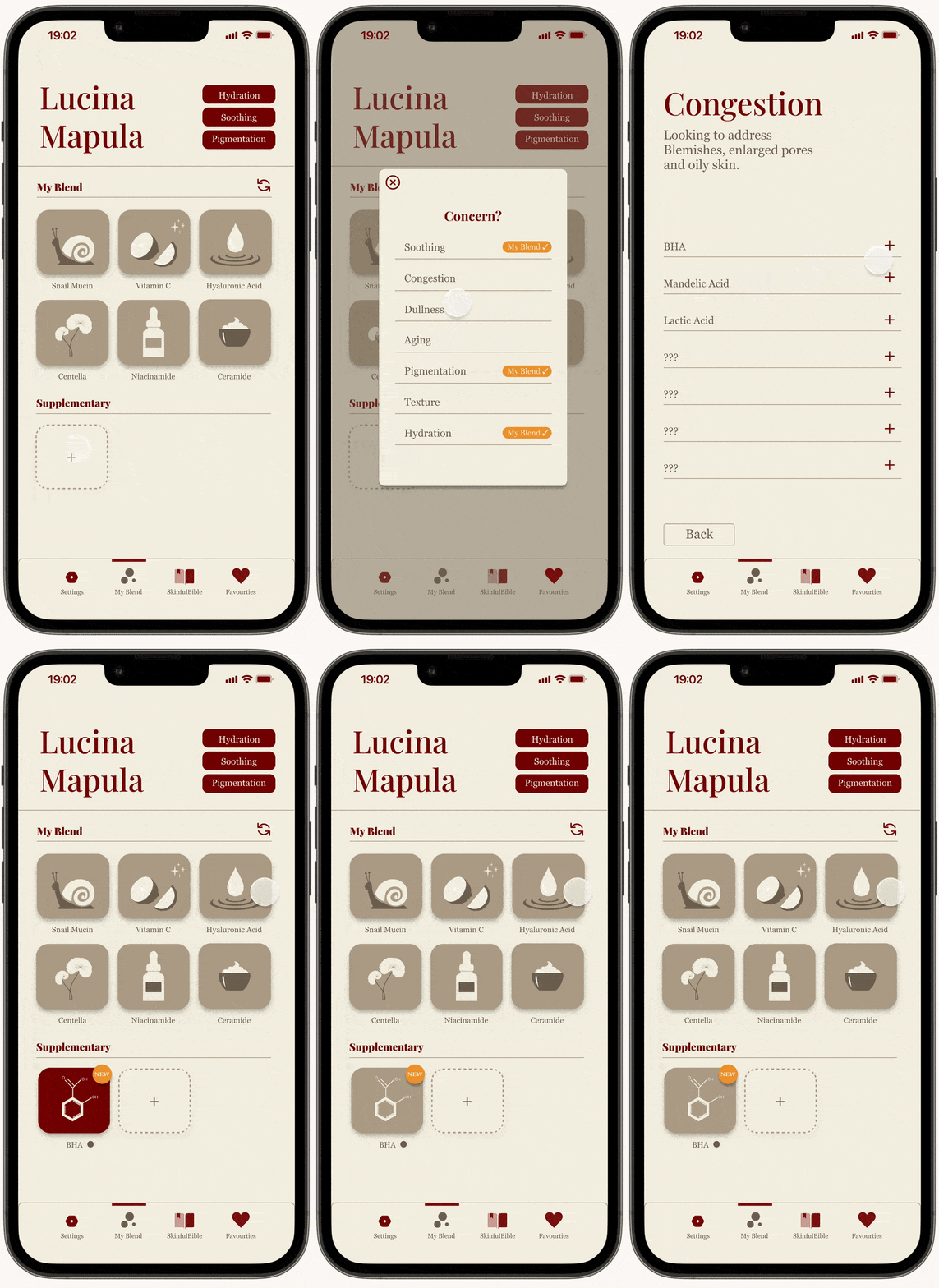
Early feedback showed that users preferred a guided experience (Option #1). The use of progressive disclosure allowed them to move at a comfortable pace and feel confident that they were selecting the correct options.
(Option #2) was often described as overwhelming, as it presented all available options at once, making the process feel more complex and harder to navigate.
Exploring The Main Interface
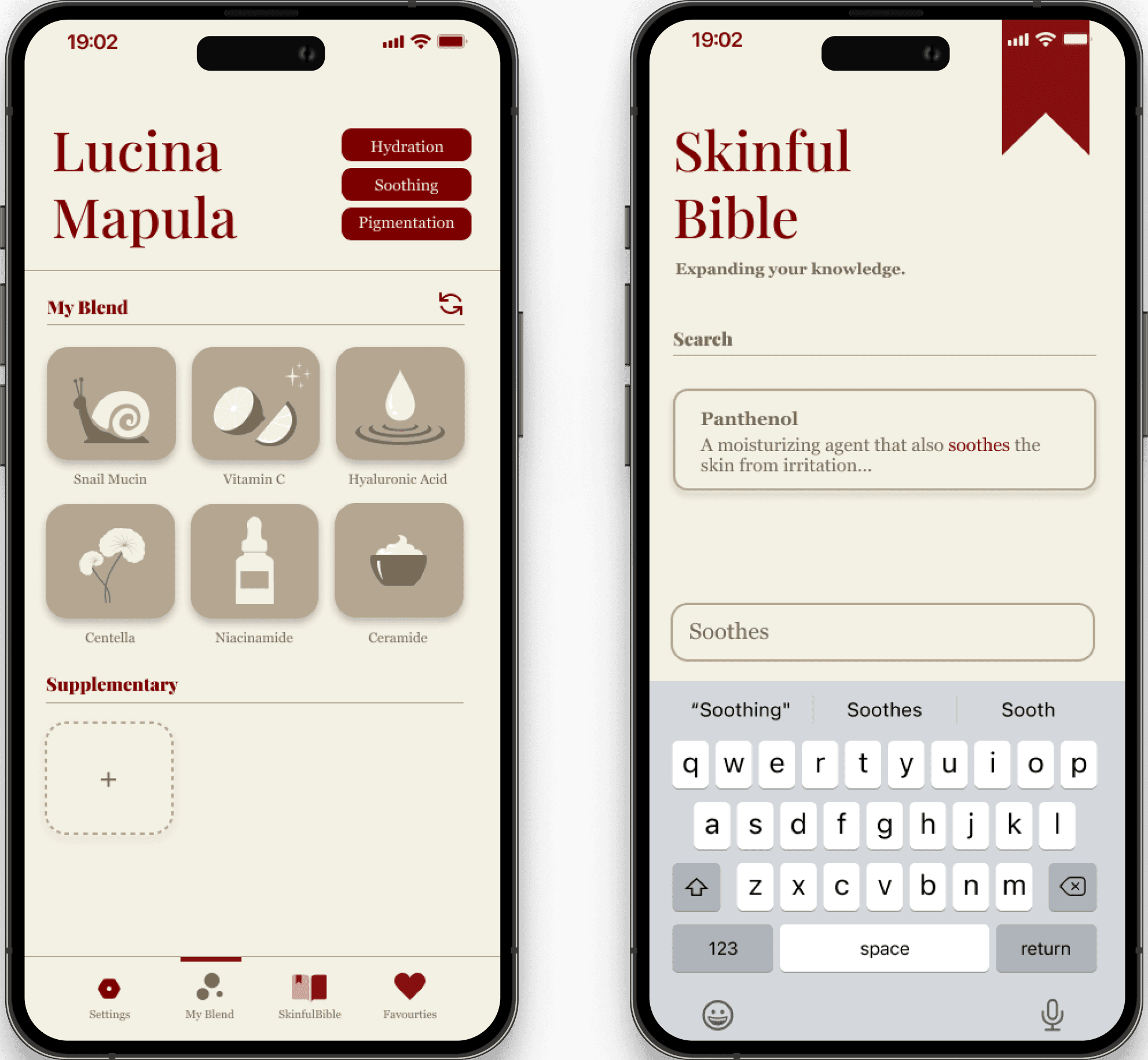
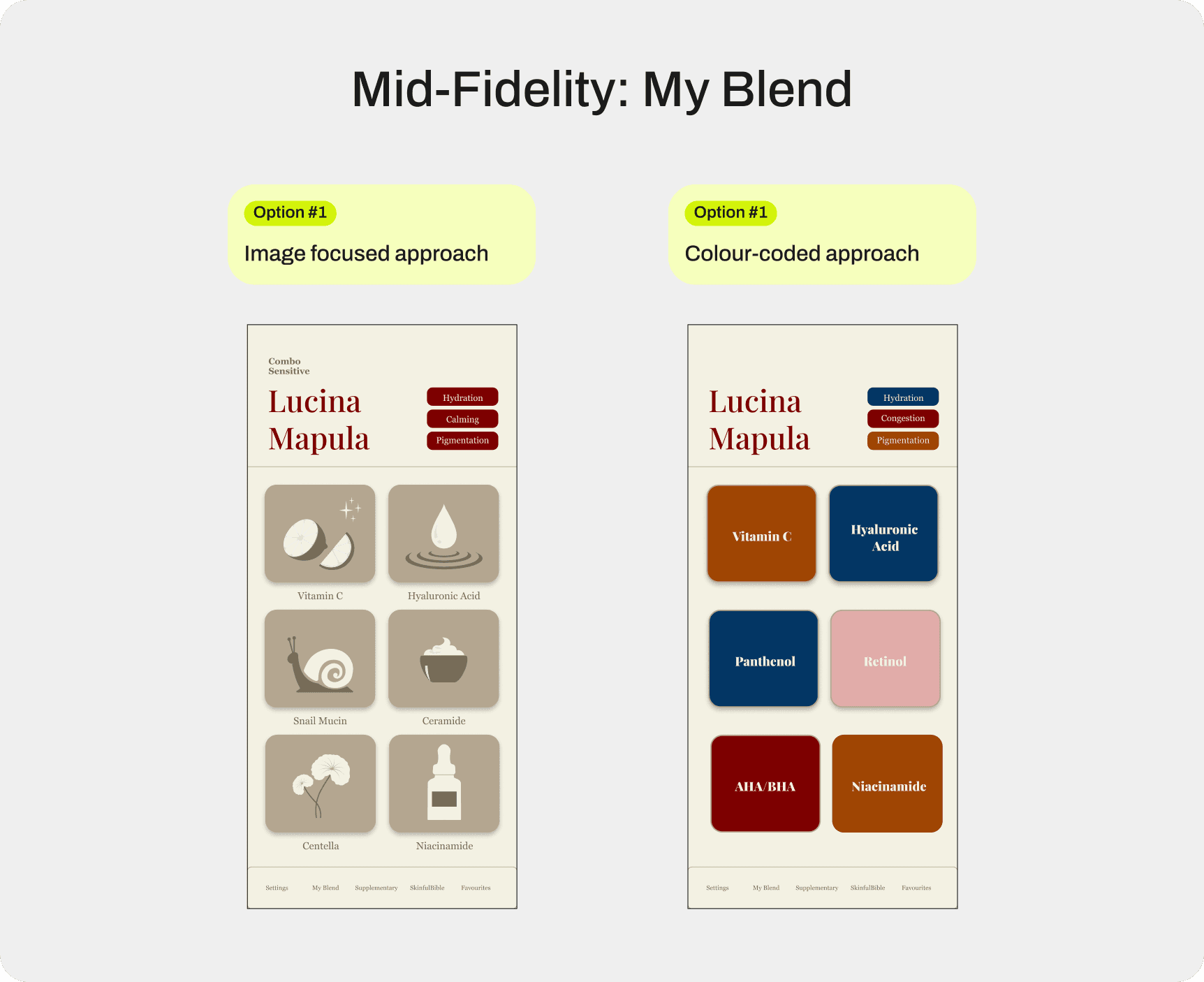
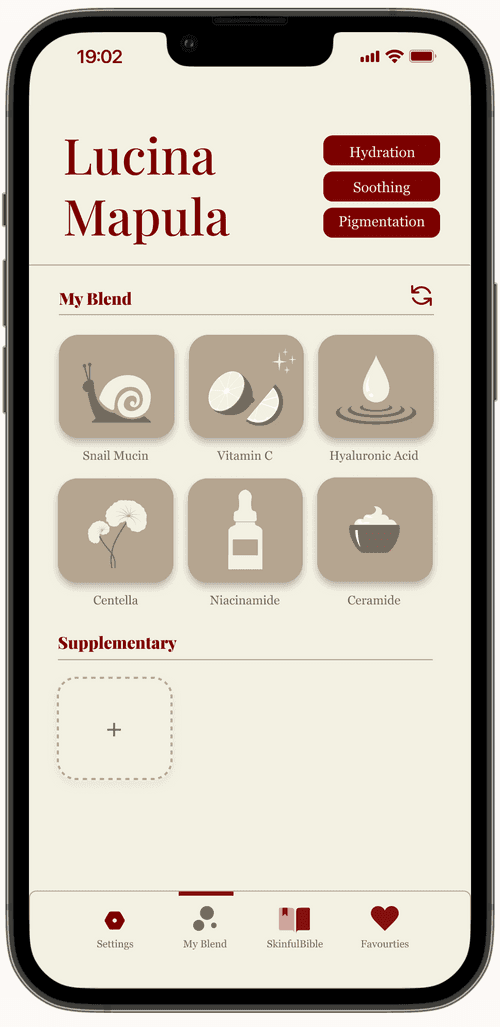
In this phase, I focused on simplifying the My Blend screen so users could understand their routine at a glance. This screen acts as a reference list when shopping for skincare products, so clarity and scannability were the main priorities.
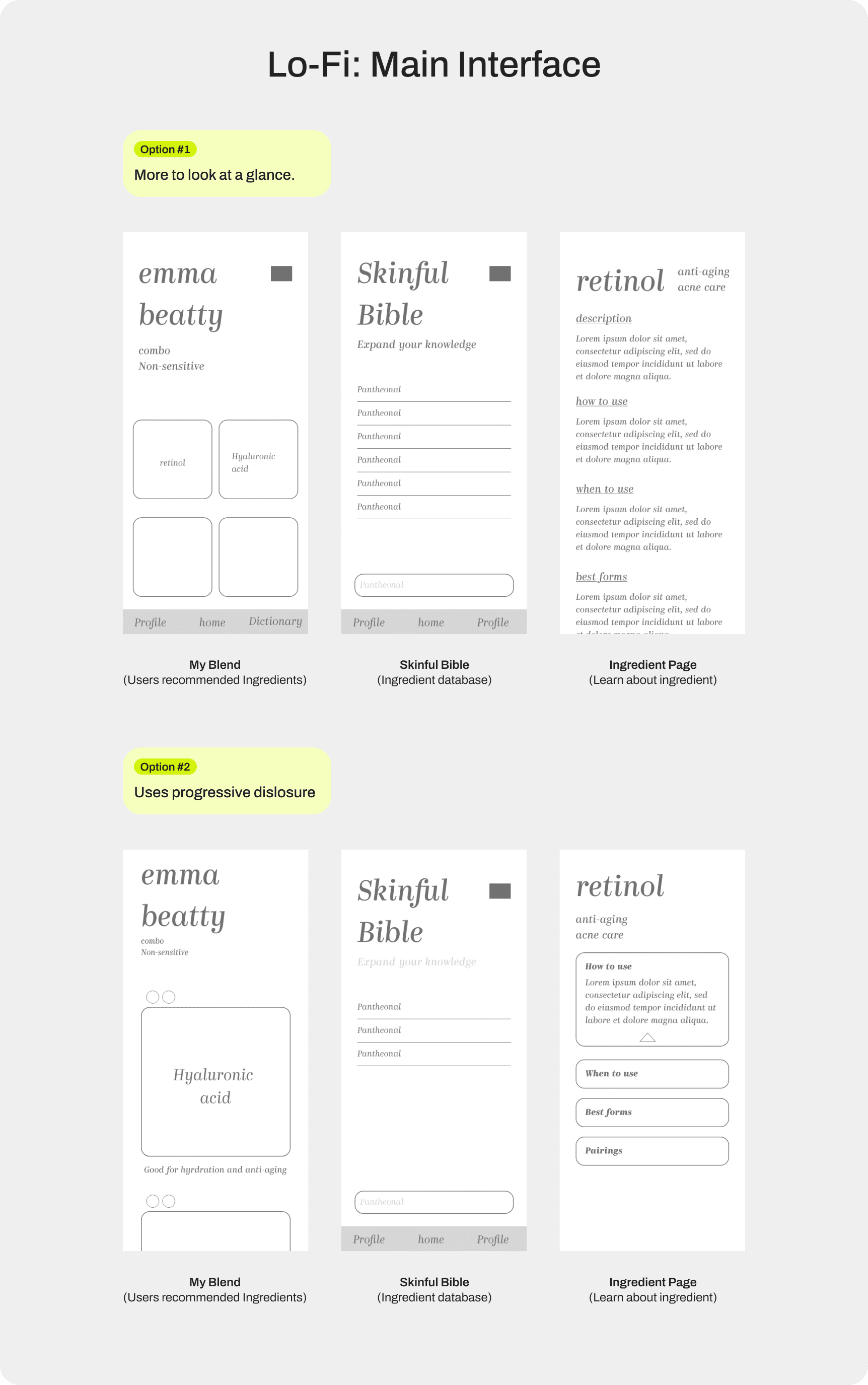
To prevent users from overcomplicating their routine, the list was limited to six ingredients maximum. This constraint encourages a more realistic skincare routine and reduces the risk of users combining too many active ingredients at once.
I initially explored a colour-coded system to show which concern each ingredient targets to help scannability. However, this approach was abandoned because the product supports nine different skin concerns, making the colour system difficult to remember and visually cumbersome.
Ingredients Details
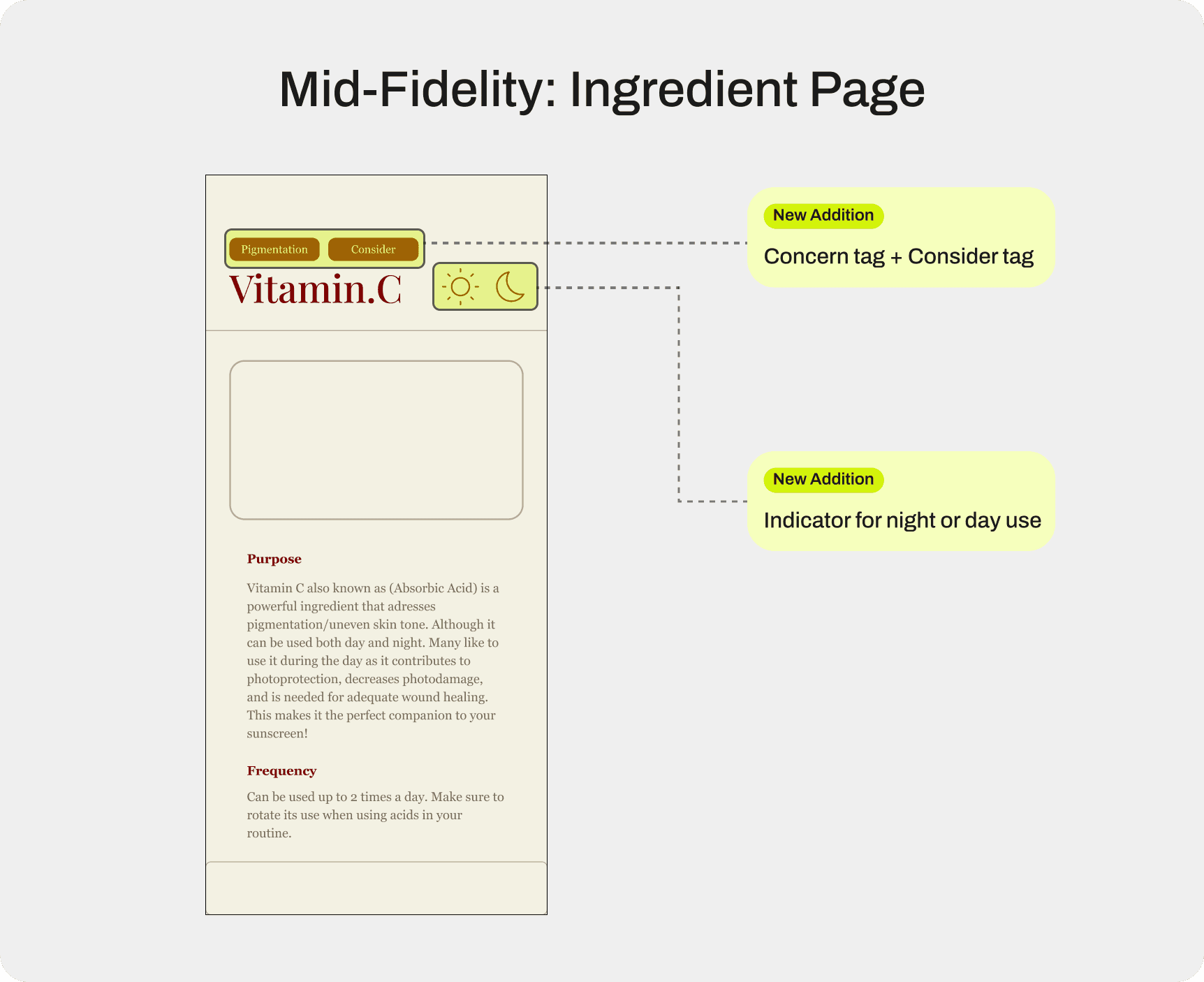
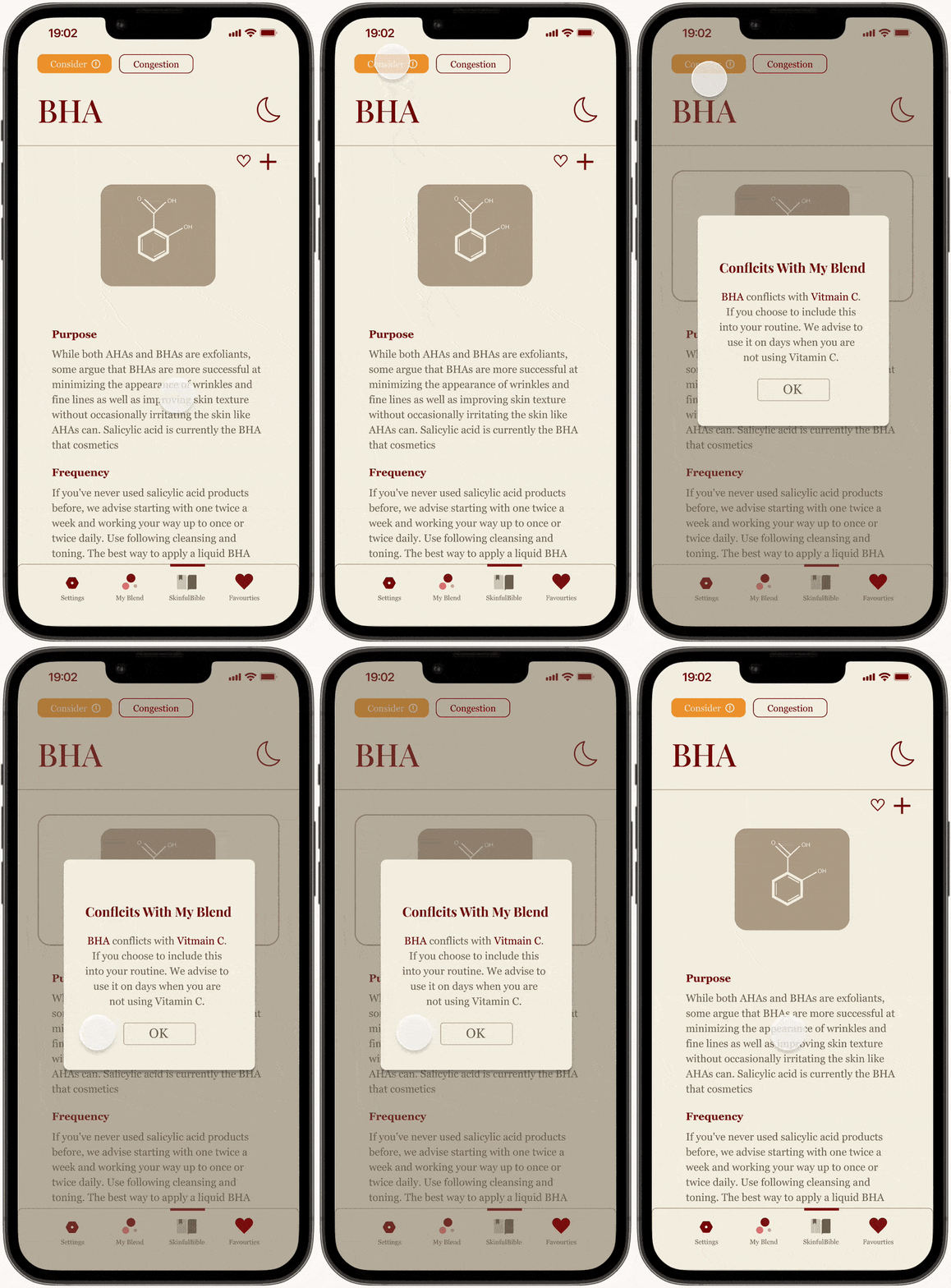
Research showed that users struggled to understand ingredient names and their effects. To address this, I designed an ingredient page that highlights key information using tags and short descriptions.
These tags allow users to quickly understand what an ingredient does, whether it suits their skin type, and how it fits into their routine without needing to read long explanations.
This approach keeps the interface informative while reducing cognitive load.
Adding Personality
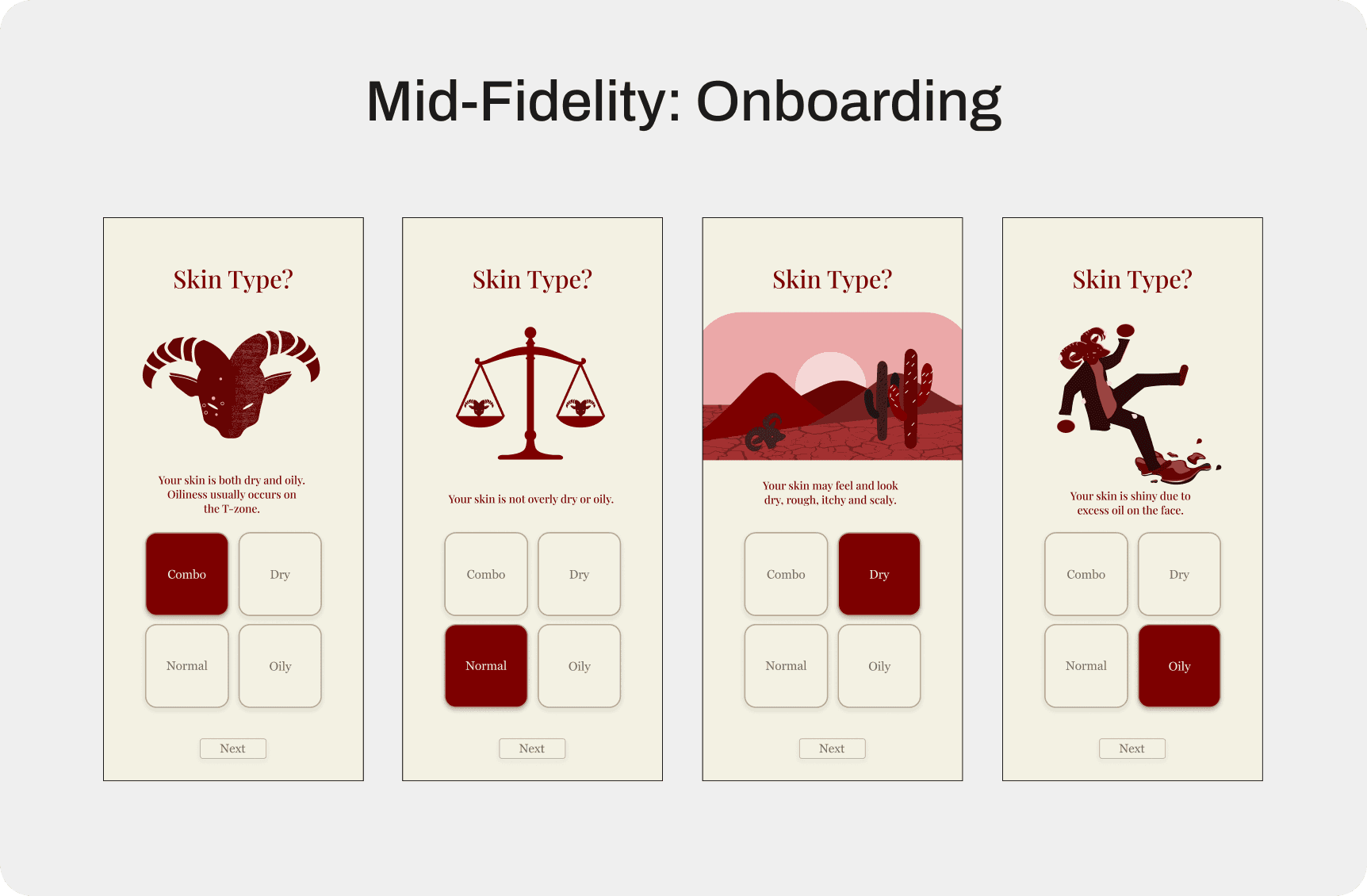
To make the experience feel more approachable, I introduced a simple mascot to guide users through onboarding. Since skincare can feel technical and intimidating, the mascot helps create a more friendly and supportive tone.
The character appears during onboarding to provide guidance and reinforce the idea that the app helps users learn rather than expecting them to already understand skincare.
This small detail helped make the experience feel less clinical and more conversational.
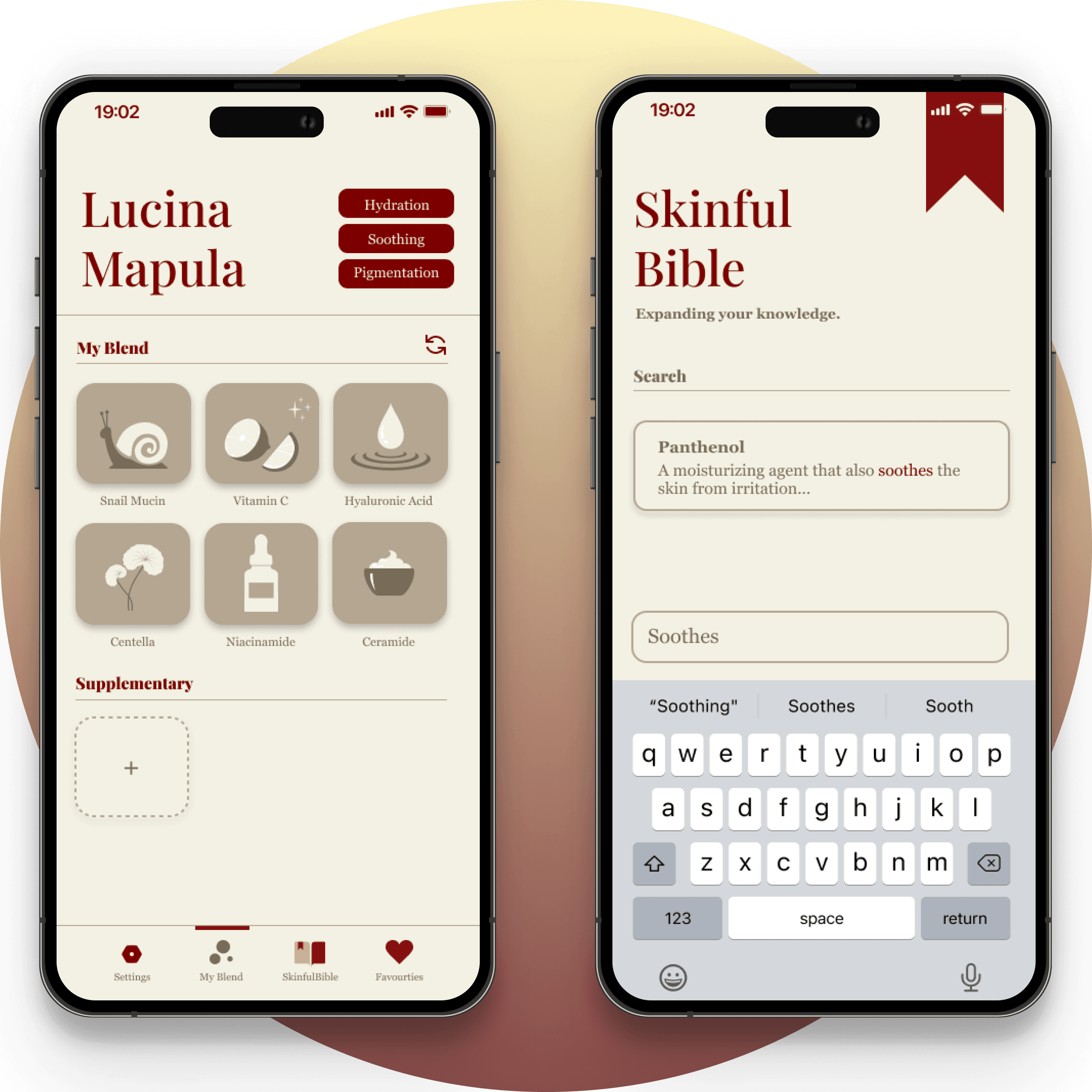
The overall look and feel of the app was inspired by its name. Skinful is a play on the words skin and mindful, reflecting the app’s goal of helping everyday consumers make more thoughtful choices when building their skincare routine.
Visually, the name can also resemble the word sinful, which inspired a slightly playful and “devilish” aesthetic. As a nod to this idea, I introduced the goat mascot to reinforce the personality of the brand while keeping the experience approachable.


Reflection
Minimizing scope improves usability.
Throughout the design process, I explored additional features that could expand the product beyond its core purpose. However, each added feature introduced more complexity and reduced clarity. By narrowing the scope to the primary goal — helping users build a simple and safe skincare routine — I was able to refine key interactions such as onboarding, ingredient selection, and the My Blend screen, resulting in a more focused and usable experience.